
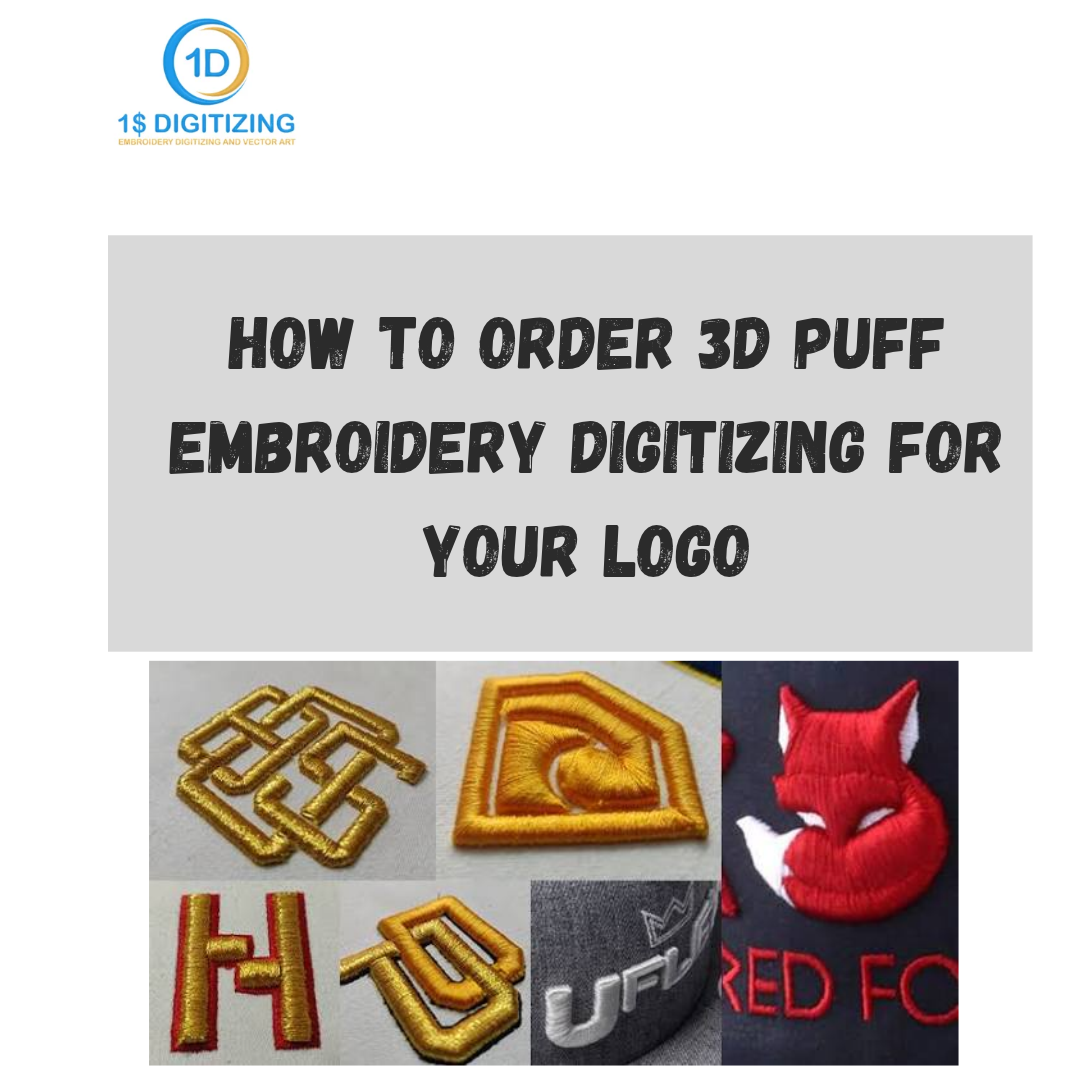
How to Order 3D Puff Embroidery Digitizing for Your Logo
How do you order 3D puff embroidery digitizing?
Submit your logo artwork, specify the garment it's headed for, confirm which parts of the design should get the raised foam treatment, and get a quote based on stitch count — most services can turn around a puff file within 24 hours to a few days depending on complexity. Here's exactly how to walk through that process without running into avoidable delays.
Step 1: Check If Your Logo Is a Good Puff Candidate
Not every logo works well with 3D puff.
Bold, blocky letters and simple, rounded shapes hold their raised shape properly. Thin lines, tiny text, and intricate fine detail generally don't, since the foam underneath needs enough surface area to sit under without collapsing. Before ordering, take a look at your logo and identify which elements are bold enough to puff and which are better left as regular flat stitching.
If your logo mixes both — say, a bold mascot with fine surrounding text — expect a conversation with your digitizer about which parts get puffed and which stay flat. That's a completely normal part of the process, not a sign of a problem.
Step 2: Gather Your Artwork and Garment Details
What do you need to submit for a 3D puff quote? Three things matter most:
- Clean artwork — a vector file if you have one, or the highest-resolution image available
- Garment type — caps are the most common home for puff work, but jackets, hoodies, and bags are options too
- Intended finished size — puff designs generally need to be a bit larger than the flat equivalent, since anything too small won't give the foam enough room to hold its shape
Step 3: Request a Quote with Puff Specified
Because puff work involves more planning than flat digitizing, it's worth requesting a quote that specifically accounts for the raised treatment rather than assuming standard flat-logo pricing applies. 3D puff embroidery digitizing is priced per 1,000 stitches with a low minimum, and puff is included as part of standard pricing rather than a separate premium tier — worth confirming this upfront with any provider, since some services do charge extra specifically for puff work.
Step 4: Confirm Foam Thickness Preferences
Does foam thickness affect the final look?
Yes — thicker foam creates a more dramatic, sculpted appearance, while thinner foam gives a subtler raised effect and tends to be more forgiving on smaller or more detailed designs. If you have a specific look in mind, mention it during ordering so the right thickness gets matched to your expectations rather than defaulting to a generic setting.
Step 5: Review the Digital Preview
Once the file is built, you should receive a preview showing stitch paths, which sections are puffed versus flat, and the color sequence. This is your opportunity to catch anything off — sizing, which elements got puffed, color order — before it moves to a test sew or full production.
Step 6: Request a Test Sew for Larger Orders
For bulk orders — caps for a whole team, a batch of jackets — a physical test stitch-out on actual fabric and foam is worth requesting before committing to full production. Small adjustments to density or foam placement often only reveal themselves once real thread and foam are involved, and catching an issue on one test cap is far cheaper than discovering it across fifty.
Step 7: Use Free Revisions If Something Needs Adjusting
If the test sew reveals something off — density that needs fine-tuning, a section that puffed unevenly — a service with free minor revisions included takes the pressure off nailing everything on the very first attempt, which is reasonable given how many physical variables are involved in puff work specifically.
Step 8: Receive Your Final File in the Right Format
Once everything checks out, the finished file gets delivered in whatever format matches your embroidery machine — DST, PES, JEF, EXP, VP3, and others are typically available. Confirm your specific machine format when placing the order so you're not stuck requesting a re-export later.
Common Mistakes to Avoid When Ordering
A few avoidable mistakes come up often enough to flag directly:
- Submitting overly detailed artwork without flagging it — leads to a design that technically gets digitized but doesn't puff cleanly
- Sizing the design too small — puff needs more room than flat embroidery to hold its shape
- Skipping the garment mention — caps, jackets, and hoodies all need slightly different technical handling
- Assuming puff always costs significantly more — worth confirming pricing specifics rather than assuming a flat premium applies everywhere
What Happens If You Skip a Step
Skipping any of these steps tends to add friction rather than saving time. Order without flagging fine detail, and the digitizer may build a file around assumptions that don't match what you actually wanted, leading to a revision round that a five-minute upfront note would have avoided. Skip mentioning the garment type, and the first draft might need reworking once it's clear the design was built with the wrong fabric behavior in mind. None of these mistakes are fatal — most get caught and fixed during the preview or revision stage — but going in with the full picture upfront is genuinely the fastest path to a clean first attempt.
Ready to Place Your Order
If you've got a logo you're considering for 3D puff, the fastest way to get started is requesting a quote with your artwork, garment type, and any specific puff preferences included, so pricing and turnaround are clear from the start rather than discovered partway through.
Where This Leaves You
Ordering 3D puff embroidery digitizing genuinely isn't complicated once you know what to have ready — a bold, puff-appropriate logo, clear garment details, and a service that treats puff as its own specialized process rather than a flat design with foam tacked on. Following these steps in order is really what separates a smooth, one-pass order from one that needs several rounds of back-and-forth to get right.
Working on this yourself? See 3D puff embroidery digitizing, hat and cap digitizing and vector art conversion.
Ready to digitize your design?
Professional embroidery digitizing from $1 — 24-hour turnaround, all machine formats, free revisions.